Introduce
Introduce
By the dragon knight a coffee ☕
GitHub | Plugin Home | Discord
Overview
Paradox Chronicle (formerly Paradox Language Support) is the IntelliJ IDEA plugin designed for mod developers of Paradox Interactive games. As the guidebook to the paradox universe, the plugin strives to provide a powerful and comprehensive infrastructure, along with a smart, efficient, and feature-rich development experience.
The plugin automatically detects game directories and mod directories, analyzes the files within to build caches and indexes.
After completing the necessary configuration (game type, game directory, mod dependencies, etc.) and project analysis (scanning files, building indexes), you can enable and experience the full range of language features.
The plugin implements core language features based on its own config system.
The CWT config files it uses follow a syntax and format largely consistent with CWTools, with certain improvements and extensions.
It comes with the latest version of built-in configs, ready to use out of the box, while also supporting customization and importing of config files to meet personalized development needs.
Core Features:
- Multi-language support: Supports the script language, localisation language, and CSV language used for mod development, as well as the CWT language for writing configs.
- Advanced language construct support: Supports parameters, scopes, complex expressions, inline scripts, definition injections, and other advanced language constructs.
- Rich language features: Supports code highlighting, code navigation, code completion, code refactoring, intention actions, code inspections, quick documentation, inlay hints, gutter icons, code hierarchy, diff viewing, diagrams, and many other language features.
- Flexible code navigation: Navigates to various targets, including files, definitions, localisations, related localisations, related images, related configs, etc., through navigation actions, quick documentation, inlay hints, gutter icons, code hierarchy, search everywhere, and more.
- Enhanced information hints: Shows key information such as localisation text, images, scopes, parameters, etc., through quick documentation, inlay hints, gutter icons, and more.
- Extensible config system: Supports customizing and importing config files to refine and enhance features like highlighting, navigation, completion, inspections, information hints.
- Image processing: Supports previewing and rendering DDS and TGA images, and can convert between different image formats (PNG, DDS, TGA).
- Tool integration: Integrates useful tools such as Image Magick, Translation Plugin, Tiger, etc., to boost development efficiency.
- AI assistance: Preliminary integration of AI technology for translating and polishing localisation text.
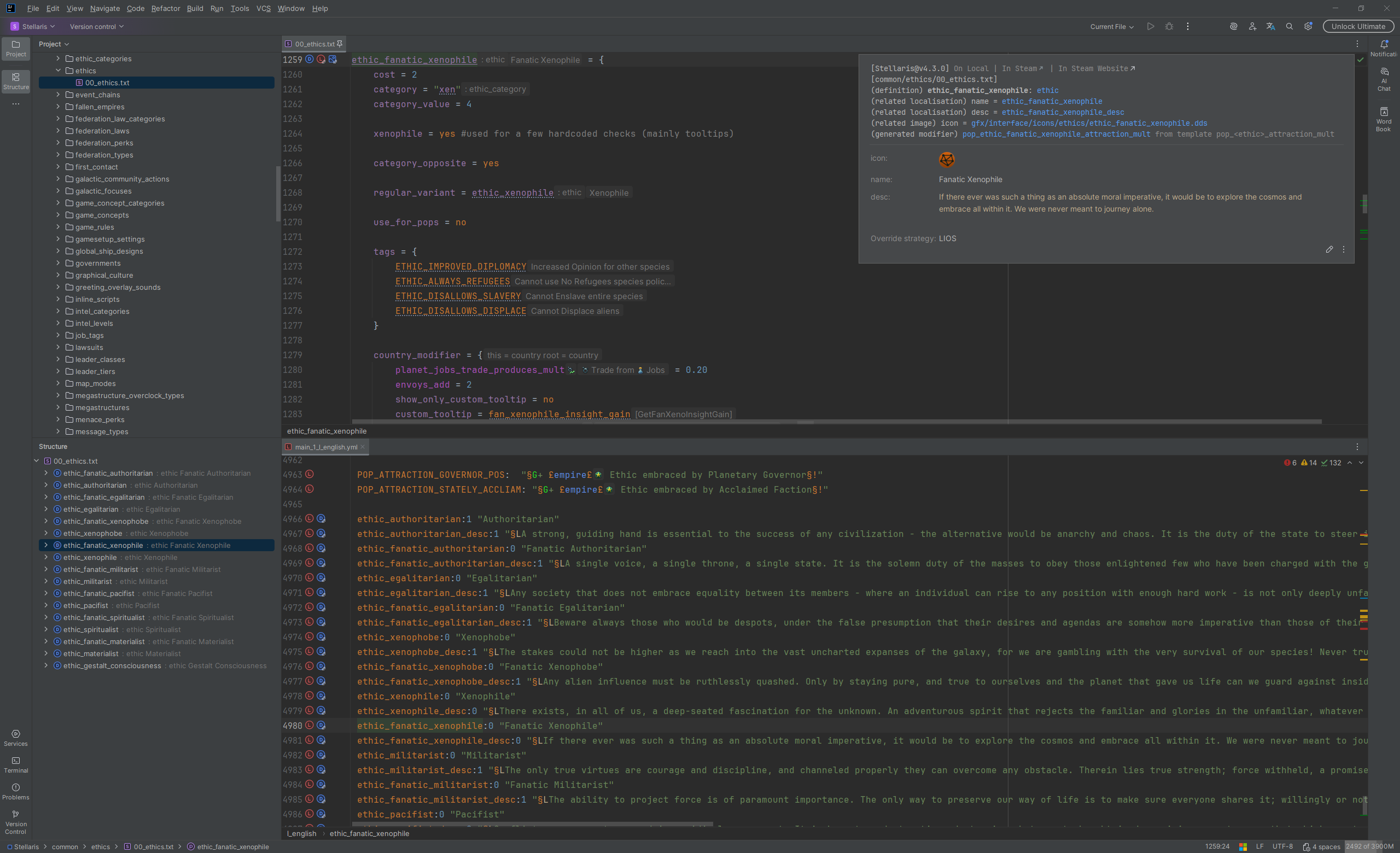
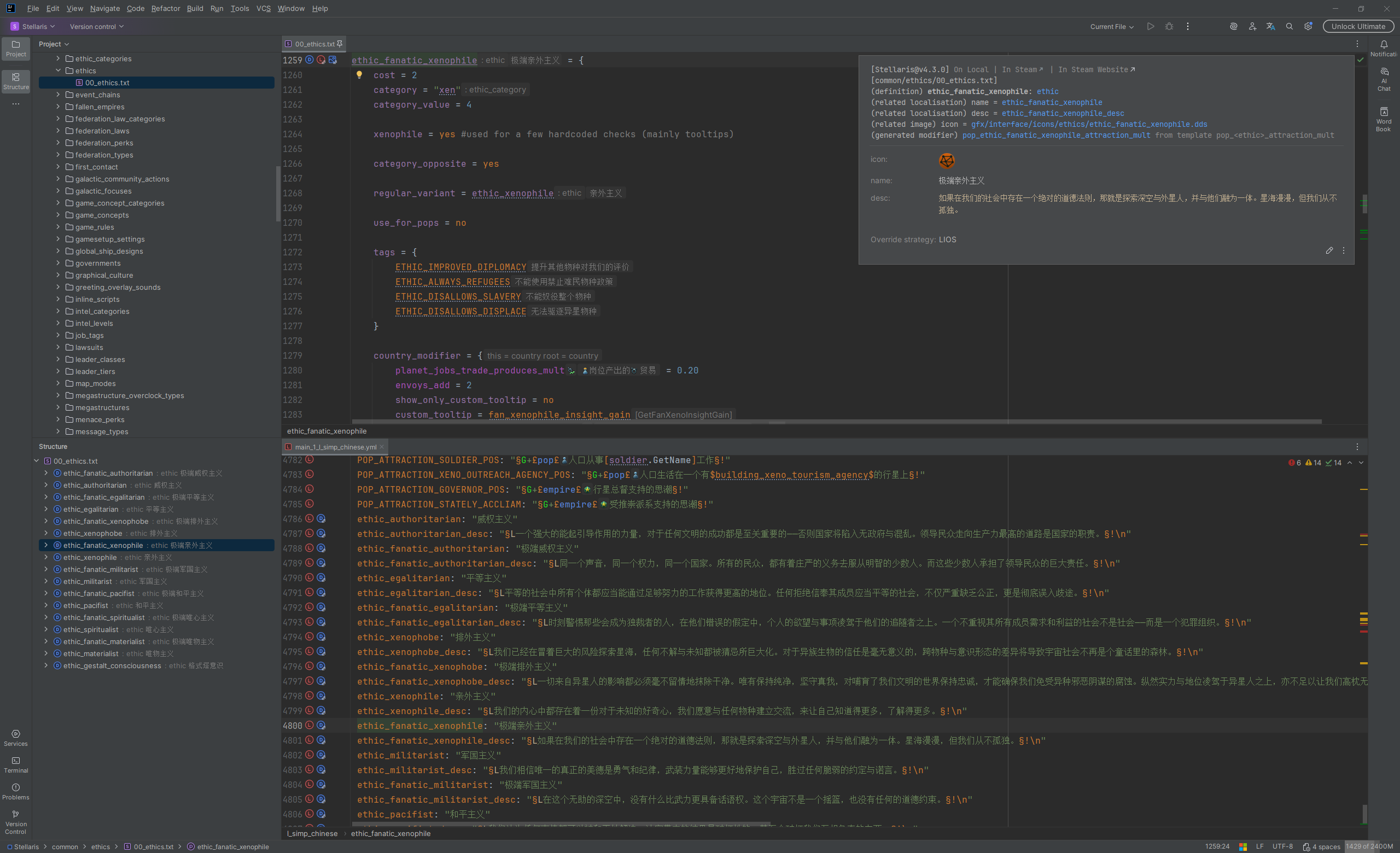
Technical Information
Technical Details
- Primarily developed using the Kotlin programming language.
- Built on the IntelliJ Platform SDK, implementing deep semantic analysis and rich language features based on PSI (rather than LSP).
- Uses JFlex for lexical analysis and BNF for syntax analysis.
- Built-in rich custom extension points for flexible feature extension, making it easy to customize and enhance plugin behavior.
- Built-in code injection system for implementing functionalities, fixes, and optimizations that cannot be achieved through conventional means.
- Built-in image processing module (DDS, TGA) for previewing, rendering, and processing additional image formats.
- Built-in tool integration module (image processing, translation, inspection tools) for optimizing and extending plugin capabilities.
- Built-in AI integration module (preliminary, MVP status) for translating and polishing localisation text.
Known Limitations
- The plugin is intended for IntelliJ IDEA (and other JetBrains IDEs such as PyCharm) and does not work with VSCode or other text editors, and there are no relevant development plans.
- The plugin's support for some complex high-level language constructs in script files and localisation files is not yet complete, and is still being improved.
- For example, the plugin currently does not support definitions declared in inline scripts in Stellaris, or complex localisation commands in Jomini.
- The quality of the plugin's core language features (such as code completion, code inspection, and quick documentation) largely depends on the completeness and timeliness of the config files. Incomplete or faulty configs may lead to missing features and false positives.
- Currently, the configs for Stellaris, Victoria 3, Europa Universalis V and Hearts of Iron IV are actively maintained, while the configs for other games may be rather incomplete or out of date.
- For detailed maintenance of config files, please refer to
CONTRIBUTORS.md.
Contribution and Support
We welcome various forms of contribution and support, including but not limited to:
- Recommending this plugin to friends or the community.
- Starring this project on GitHub.
- Sponsoring this project via Afdian.
- Submitting feedback and issues (via GitHub Issues, Discord, or email).
- Submitting pull requests (to the plugin repository (this project), or the respective config repositories).
For a detailed guidance for contributing, please see CONTRIBUTING.md.
For a detailed list of contributors, please see CONTRIBUTORS.md.
Contributing Documentation
The project documentation is mainly divided into general documentation (such as README.md), maintainer documentation (located in the documents directory), and reference documentation (located in the docs directory). These documents inevitably contain errors, shortcomings, missing details, and areas needing supplementation. Contributions to improve documentation quality are welcome, especially for the project's reference documentation.
Contributing Code
Given the plugin's large codebase and high complexity, contributing core code is highly challenging. Nevertheless, by referencing existing documentation, code, configuration files and config files, leveraging AI assistance, and exploring on your own, it is still possible to consider and practice contributions to certain parts of the codebase.
For example, by viewing the reference documentation and configuration files (e.g., plugin.xml and the including XML configuration files), combined with keyword searching, you can try adding and improving various language features, or enhancing the plugin's capabilities and compatibility.
Contributing Config Files
Given the plugin's config-driven architecture, contributing config files is one of the most effective ways to improve support for specific games. Config files define the semantic information (definitions, corrections, scopes, effects, triggers, etc.) that drives code completion, code inspections, and information hints. Keeping them up to date directly improves the user experience for all users of that game.
For reference, please read the documentation for the config system, the syntax reference manual, and the config format reference manual.
Reference Links
Official Documentation
- Kotlin Docs | Kotlin Documentation
- Coroutines | Kotlin Documentation
- Getting started | IntelliJ IDEA Documentation
- IntelliJ Platform SDK | IntelliJ Platform Plugin SDK
- PSI | IntelliJ Platform Plugin SDK
- Custom Language Support | IntelliJ Platform Plugin SDK
- LangChain4j | LangChain4j
- Steam browser protocol | Valve Developer Community
Plugin Development
- JetBrains/intellij-community: The IntelliJ Platform source code (a primary reference for plugin development)
- JetBrains/intellij-platform-plugin-template: Template for building IntelliJ Platform plugins
- JetBrains/intellij-platform-gradle-plugin: Gradle plugin for building IntelliJ Platform plugins
- JetBrains/Grammar-Kit: Grammar files support & parser/PSI generation for IntelliJ IDEA
- jflex-de/jflex: The fast scanner generator for Java with full Unicode support
Tools & Plugins
- cwtools/cwtools: A library for parsing, editing, and validating Paradox Interactive script files.
- cwtools/cwtools-vscode: A VS Code extension providing language server support for paradox script files using cwtools
- bcssov/IronyModManager: Mod Manager for Paradox Games. Official Discord: https://discord.gg/t9JmY8KFrV
- amtep/tiger: Checks game mod files for common mistakes and warns about them. Supports Crusader Kings 3, Victoria 3, and Imperator: Rome.
- nickbabcock/jomini: Parses Paradox files into javascript objects
- ParadoxGameConverters: Tools that convert a save game from one Paradox game into a playable mod for another
- OldEnt/stellaris-triggers-modifiers-effects-list: List of Stellaris triggers, modifiers and effects for most game versions since launch.
- Victoria-3-Modding-Co-op/Modding-Digests: This repository contains modding digests for Victoria 3 updates.
Image Processing
- TwelveMonkeys ImageIO: Additional plug-ins and extensions for Java's ImageIO
- ImageMagick | Mastering Digital Image Alchemy
Community & Modding Resources
- Paradox Mods - The official mod portal for Paradox games
- Paradox Forums - The official forums for Paradox games
Tutorials & Wiki
- Stellaris Wiki - Stellaris Official wiki
- 群星中文维基 | Stellaris 攻略资料指南 - 灰机wiki - Stellaris Chinese wiki
- Stellaris Mod 教程 - Stellaris mod tutorial (written in Simplified Chinese)